How I Got Past the "Works on My Machine" Problem
From deployment hell to one-command containerization with Podman
The Problem: Alex Was Going to Steal My WoW Gold
I'd just finished building my Weather Intelligence System—a hybrid Python and Go application that I was genuinely proud of. It worked beautifully on my Arch Linux setup. Time to share it with the world.
Being a Linux user, I knew I needed to test on Windows. So I did what any reasonable developer would do: I wrote a PowerShell script. Then another. Then another.
"This will work, right?"
Wrong.
I asked my friend Alex to test it on his Windows machine. It failed. I rewrote the script. It failed. I rewrote it again. Still failed.
"But it works on my machine!" I protested, pointing at my Windows VM where everything ran perfectly.
Alex was getting tired of being my Windows guinea pig. I was getting tired of debugging PowerShell across continents. At one point, he threatened to hack me and steal my World of Warcraft gold if I sent him one more broken script.
There had to be a better way.
The Script Graveyard
Here's what I was trying to make work on Windows:
# PowerShell Installation Script for Weather Intelligence System
Write-Host "Installing Weather Intelligence System..." -ForegroundColor Green

# Check for Python, Go, and Git
$pythonExists = Get-Command python -ErrorAction SilentlyContinue
$goExists = Get-Command go -ErrorAction SilentlyContinue
$gitExists = Get-Command git -ErrorAction SilentlyContinue

if (-not $pythonExists) {
    Write-Host "Error: Python is required but not found." -ForegroundColor Red
    exit 1
}

# ... 150 more lines of this ...
The problem? These scripts worked sometimes, on some machines, with some configurations. They failed mysteriously on others. The error messages were cryptic. The debugging was endless.
I was solving the wrong problem.
The Realization: I Was Building the Wrong Thing
Here's what I was doing wrong: I was trying to make my development environment reproducible by scripting the installation of every dependency, on every platform, for every user.
This is insane.
What I needed wasn't better install scripts. I needed to package the entire environment—dependencies and all—into something that would run identically everywhere.
I needed containers.
Docker vs. Podman: My Choice
When you search "containerization," Docker dominates the results. It's the standard, the default choice, the one everyone knows. So why didn't I just use Docker?
The Daemon Problem
Docker requires a daemon running with root privileges. On Linux, this means:
- The Docker daemon runs as root
- You need to add your user to the
dockergroup (essentially giving yourself root access) - The daemon is always running in the background, consuming resources
For a laptop running Arch Linux where I'm conscious of what's running and why, this felt heavy-handed for what I needed: occasional container builds and deployments.
The Podman Alternative
Podman is daemonless. It runs containers as a regular user process, without requiring root privileges or background services. When I'm not using containers, Podman isn't using resources.
On Arch Linux, Podman also felt more "at home" in the ecosystem. The Arch community seemed to prefer it, the AUR packages were well-maintained, and the philosophy (simple, user-focused, no unnecessary background processes) aligned with why I use Arch in the first place.
The Practical Reality
Here's the truth: for my use case—building and running containers for a weather app—Docker and Podman are functionally identical. The Dockerfile I wrote for Docker works with Podman with zero changes (just run podman build instead of docker build).
I chose Podman for:
- No daemon - Simpler, lighter, runs only when I need it
- Rootless by default - Better security model
- Arch ecosystem fit - Felt more native to my setup
- Docker-compatible - Could switch back anytime if needed
The Solution: One Container, Everywhere
After banging my head against PowerShell for weeks, I wrote my first Dockerfile. It took an afternoon.
# Multi-stage build for Weather Intelligence System
FROM golang:1.25-alpine AS go-builder
WORKDIR /go/src/app
COPY go-components/ ./go-components/

# Build Go components
WORKDIR /go/src/app/go-components/data-collector
RUN go mod tidy && go build -o data-collector .

# Stage 2: Create runtime image
FROM python:3.11-slim
WORKDIR /app
COPY requirements.txt ./
RUN pip install --no-cache-dir -r requirements.txt
COPY . ./
COPY --from=go-builder /go/src/app/go-components/data-collector/data-collector ./
Now deployment is:
# With Podman
podman run -it --rm ghcr.io/redsskull/weather-intelligence-system

# Or with Docker
docker run -it --rm ghcr.io/redsskull/weather-intelligence-system
That's it. One command. Works on Linux, Windows, macOS, cloud servers, Raspberry Pi—anywhere containers run.
The Dramatic Before and After
Here's what Alex saw when my PowerShell script failed on his machine:
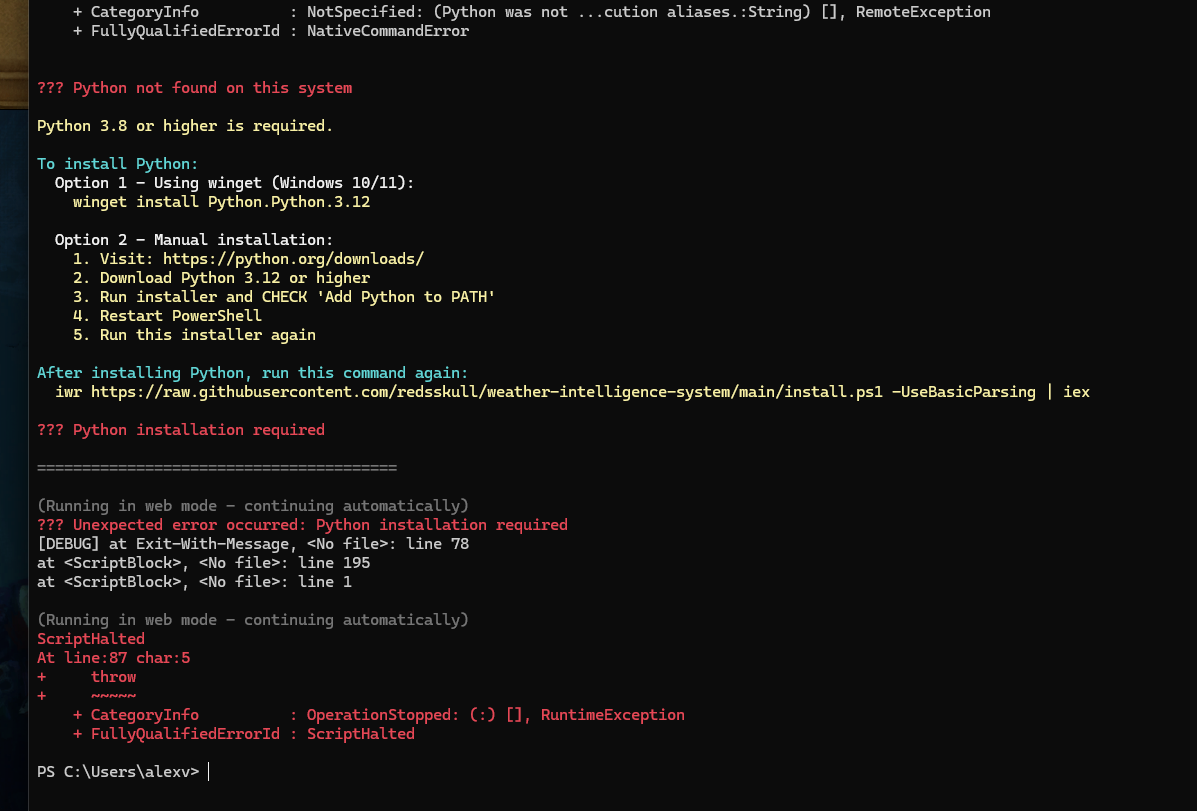
The dreaded "it doesn't work" moment that haunted my deployment dreams
And here's the same weather system running flawlessly in a container:
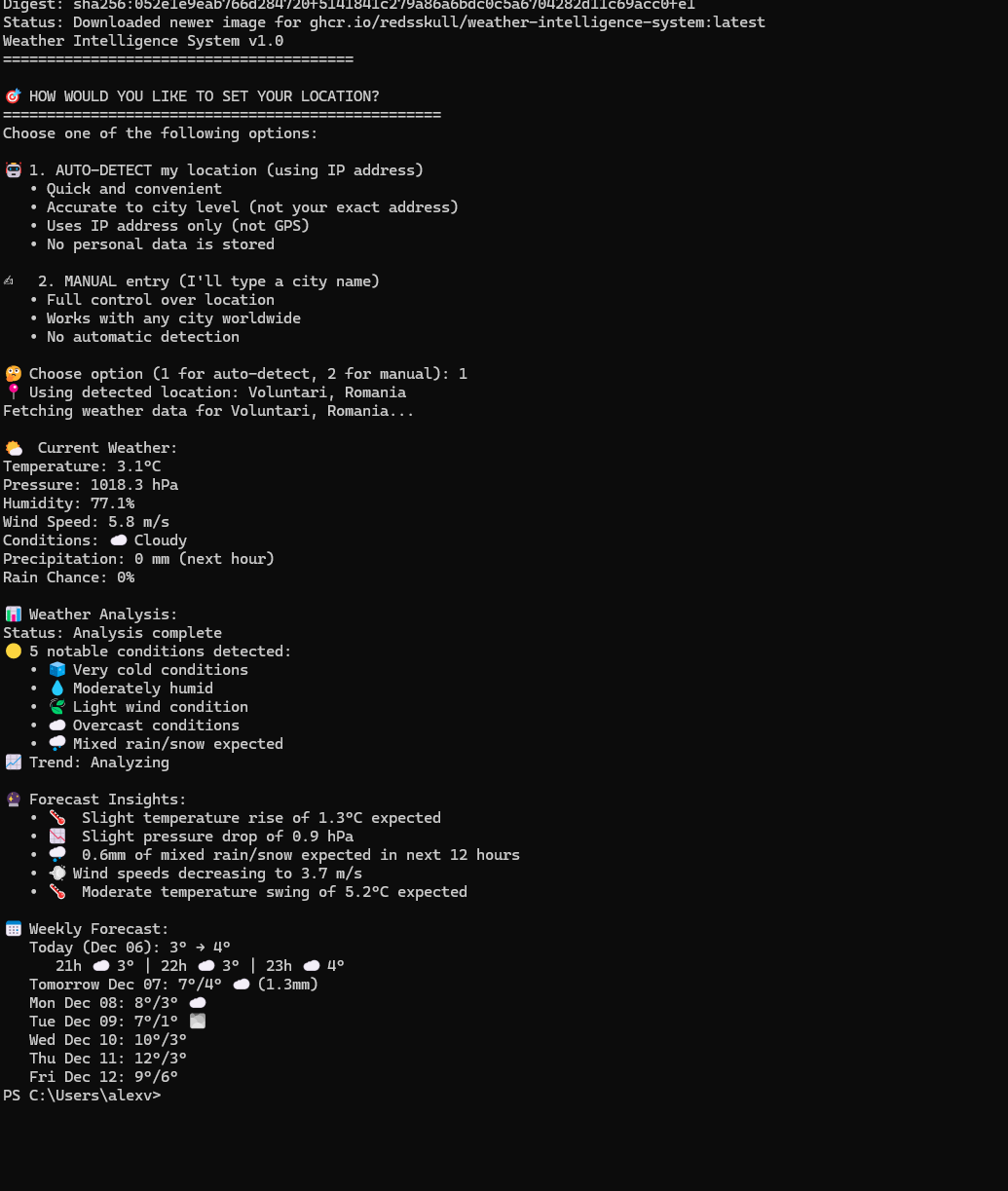
One command, perfect execution. The magic of containerization.
Alex can finally test my app without threatening my WoW gold. My Windows VM is gathering dust. The weather app runs identically everywhere.
What I Learned
1. "Works on My Machine" is a Real Problem
It's easy to dismiss this as a meme, but it's a genuine development challenge. My PowerShell scripts worked perfectly on my Windows VM but failed on Alex's real Windows machine due to differences in Windows versions, existing Python installations, PATH configurations, PowerShell execution policies, and a million other environmental variables I couldn't control.
Containers solve this by packaging the environment WITH the application. If it runs in the container on my machine, it runs in the container on yours.
2. Multi-stage Builds Are Powerful
My Dockerfile has two stages: a build stage (compiles Go binaries) and a runtime stage (runs the application). I don't need the Go compiler in my final image—I only need the compiled binaries. This keeps the final container small while still building everything from source.
3. Containerization Isn't Just for Deployment
I initially saw containers as a deployment tool, but they're also:
- Documentation - The Dockerfile shows exactly how the app is built
- Reproducibility - Anyone can recreate the exact build environment
- Development - New contributors can start coding in minutes, not hours
- Testing - CI/CD pipelines run in identical environments
4. The Best Tool is the One You'll Actually Use
Docker is more popular and has more tutorials. But Podman fit my workflow better: no daemon management, rootless containers by default, and a natural fit with Arch Linux philosophy.
I chose Podman not because it's objectively "better," but because it matched how I wanted to work. And because I'll actually use it, my apps get containerized.
The Takeaway
If you're trying to make your app work across different systems, stop writing install scripts. Stop fighting with dependency managers. Stop debugging "works on my machine" issues.
Learn containerization. It will save you hours of frustration (and protect your World of Warcraft gold from vengeful friends).
Docker or Podman?
For most use cases, it doesn't matter—they're functionally identical. Pick the one that fits your workflow:
Docker if: You want maximum compatibility, don't mind running a daemon, or you're on Windows/Mac where Docker Desktop is well-integrated.
Podman if: You prefer daemonless rootless containers, you're on Linux and value system resources, or you like tools that only run when you need them.
Either way, you'll spend less time debugging installation issues and more time building features.
Try It Yourself
Want to see containerization in action? Check out my Weather Intelligence System with multi-stage Dockerfile, docker-compose orchestration, and GitHub Container Registry images ready to run.
Or if you want to see my PowerShell script graveyard, it's all still on GitHub—a testament to how many different ways I tried to solve this problem before discovering the right solution.
Sometimes the best solution isn't writing better scripts—it's realizing you're solving the wrong problem.
150+ lines of PowerShell → One container run command
That's the power of containerization.
Oh, and Alex didn't steal my gold. He got stuck in Tarkov maintenance instead.
About the Author: I'm a self-taught developer. Follow my journey from bootcamp failure to building distributed systems at nathanielivry.io.